
Introduction
Linking your Aadhaar number with your bank account is important for receiving government subsidies, Direct Benefit Transfers (DBT), LPG subsidies, scholarships, pensions, and other financial benefits. But many people are not sure which bank account is currently linked or seeded with their Aadhaar number.
If you want to check which bank account is mapped with your Aadhaar, you can do it easily through the official mAadhaar app. This app is provided by UIDAI and allows users to access various Aadhaar-related services directly from their smartphones.
In this complete guide, you will learn the exact step-by-step process to check Aadhaar bank seeding status using the mAadhaar app.
What Is Aadhaar Bank Seeding?
Aadhaar bank seeding means linking your Aadhaar number with your bank account in NPCI records. When your Aadhaar is seeded:
- Government subsidies are credited directly to your bank account.
- DBT payments are transferred smoothly.
- Identity verification becomes easier.
Only one bank account is usually mapped as the primary Aadhaar-linked account for DBT purposes.
Requirements Before Checking Status
Before you start, make sure:
- Your mobile number is registered with Aadhaar.
- That mobile number is active to receive OTP.
- You have installed the official mAadhaar app.
- You have a stable internet connection.
Without OTP verification, you cannot check the status.
Step-by-Step Process to Check Aadhaar Bank Seeding Status
Step 1: Install and Open the mAadhaar App
Download the official mAadhaar app from the Google Play Store or Apple App Store. Make sure it is the genuine app published by UIDAI.
Open the app on your smartphone.
Step 2: Add or Login to Your Aadhaar Profile
If you are using the app for the first time:
- Tap on “Register My Aadhaar”.
- Enter your Aadhaar number.
- Enter the CAPTCHA code.
- Click on “Send OTP”.
- Enter the OTP received on your registered mobile number.
After verification, your Aadhaar profile will be added to the app.
If already registered, simply login.
Step 3: Go to the Services Section
Once logged in, you will see different service options on the home screen. Look for the “Services” section.
Tap on it to view available Aadhaar services.
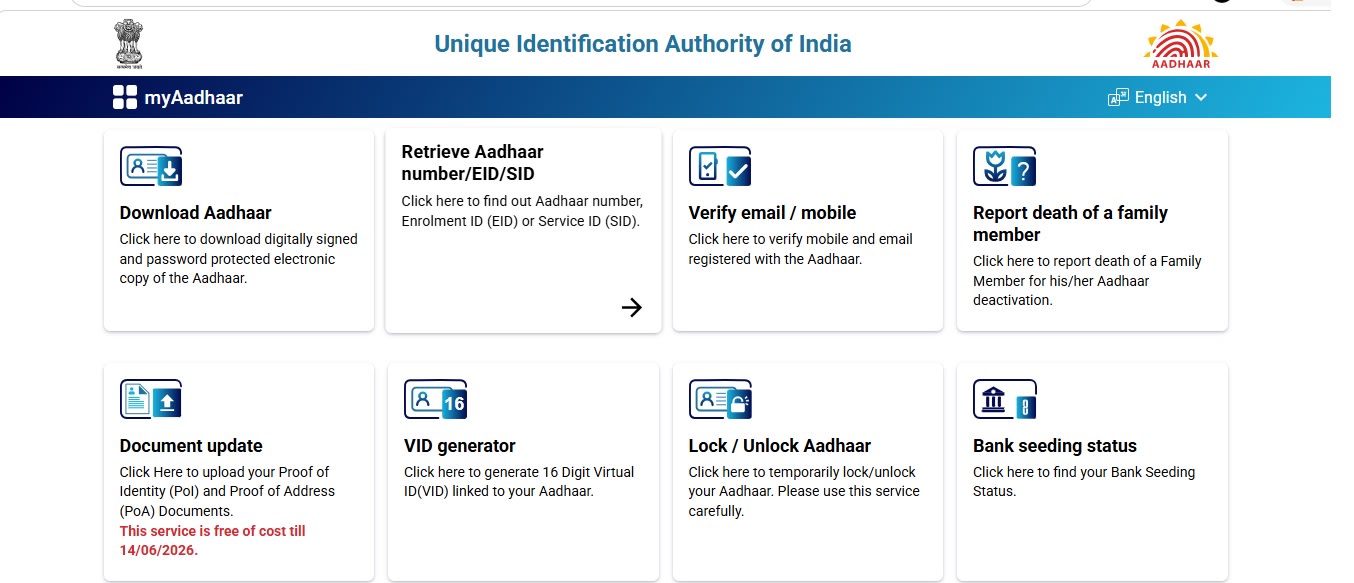
Step 4: Select “Bank Seeding Status”
Inside the Services menu, find and tap on the option called “Bank Seeding Status”.
This feature allows you to check which bank is currently linked with your Aadhaar in NPCI records.
Step 5: Enter Aadhaar Number (If Required)
In some cases, the app may ask you to enter your Aadhaar number again for verification.
- Enter your Aadhaar number.
- Click on “Send OTP”.
Step 6: Verify Using OTP
You will receive a One-Time Password (OTP) on your Aadhaar-registered mobile number.
- Enter the OTP carefully.
- Click on “Submit” or “Verify”.
Step 7: View Bank Seeding Details
After successful OTP verification, the app will display:
- Whether your Aadhaar is linked to any bank account.
- The name of the bank that is seeded.
- The last updated date of mapping.
For security reasons, the full bank account number is not shown. Only the bank name appears.
Important Points to Understand
There are a few important things you must know:
- Only the latest bank mapped in NPCI records will be displayed.
- If you have multiple bank accounts linked earlier, only one primary bank will appear.
- If the message says “No Bank Seeding Record Found”, it means your Aadhaar is not currently mapped with any bank account.
- This service shows NPCI mapping status, not internal bank linking status.
Is It Safe to Use the mAadhaar App?
Yes, the mAadhaar app is an official application provided by UIDAI. It uses OTP-based authentication and secure verification methods.
However:
- Never share your OTP with anyone.
- Do not download unofficial Aadhaar apps.
- Always keep your registered mobile number secure.
Conclusion
Checking which bank account is seeded with your Aadhaar number is a simple and secure process through the mAadhaar app. With just a few steps and OTP verification, you can instantly know the bank linked in NPCI records.
If no bank is linked, you should visit your bank branch and complete the seeding process to ensure smooth receipt of government benefits and DBT payments.
By regularly checking your Aadhaar bank seeding status, you can avoid transaction failures and ensure that all subsidies and benefits reach your correct bank account without delay.